audio file converter

Audio File Converter

A perfect solution to convert any Audio file to the desired Audio format

Audio File Converter is a power-packed professional tool with many advanced features & a friendly interface. This software announces safe and instant conversion of any audio file. It supports audio files like MP3, WMA, FLAC, WAV, M4A, etc. to export into the required audio format. With complete accuracy, the software converts multiple audio files together in a single attempt. There will be no compromise to the file quality during the conversion process.

This efficient program offers a real-time preview and handles duplicates during the conversion process. Along with conversion logs, it provides real-time progress and stores the output file in the user-defined folder. There will be no need for internet connectivity or any external application to perform audio file conversion using this eminent solution. Simply launch this program & follow the provided instructions to get the desired audio file. This Audio-to-Audio conversion tool comes with a trial version to assess the performance before paying for it.
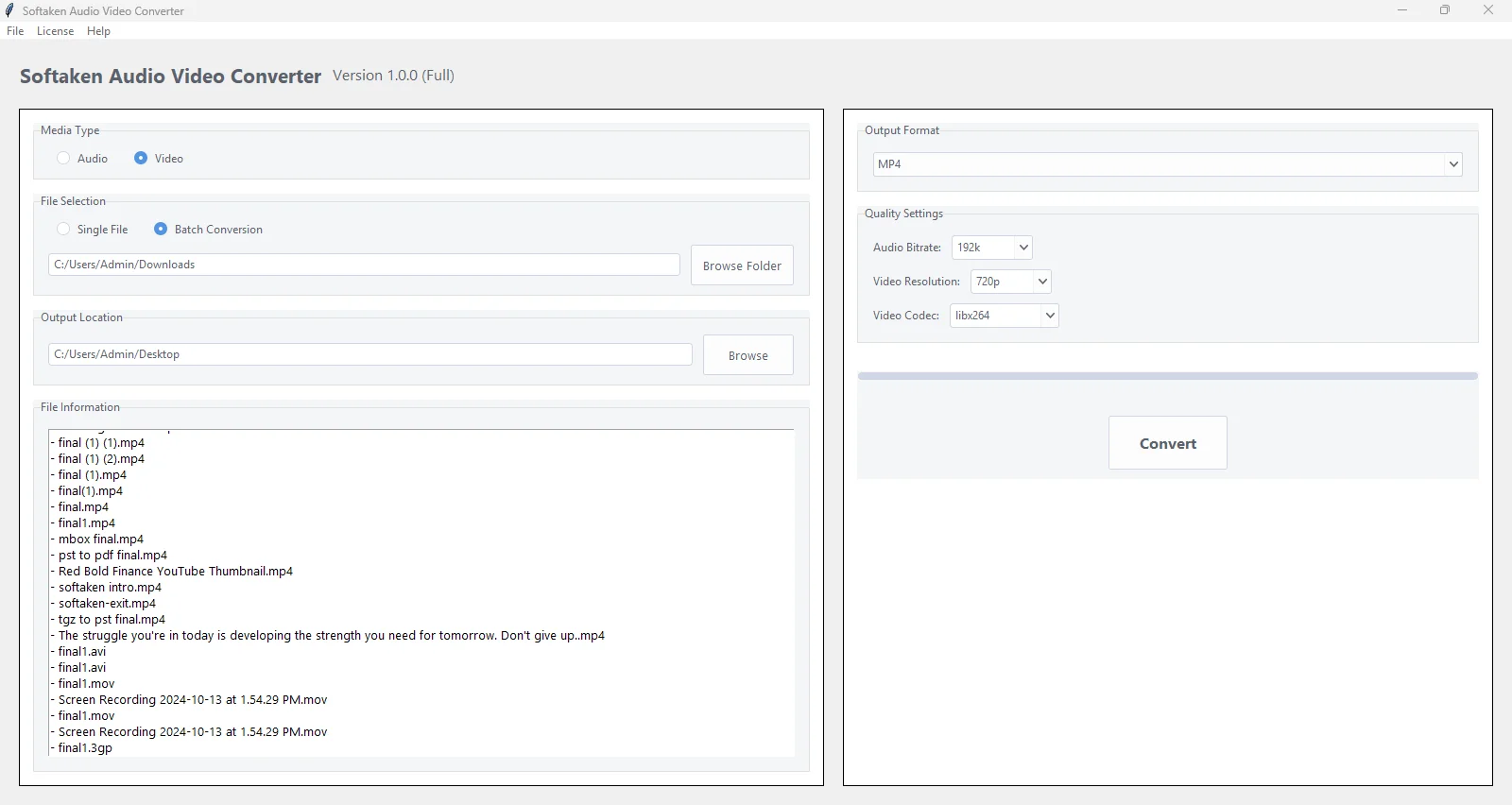
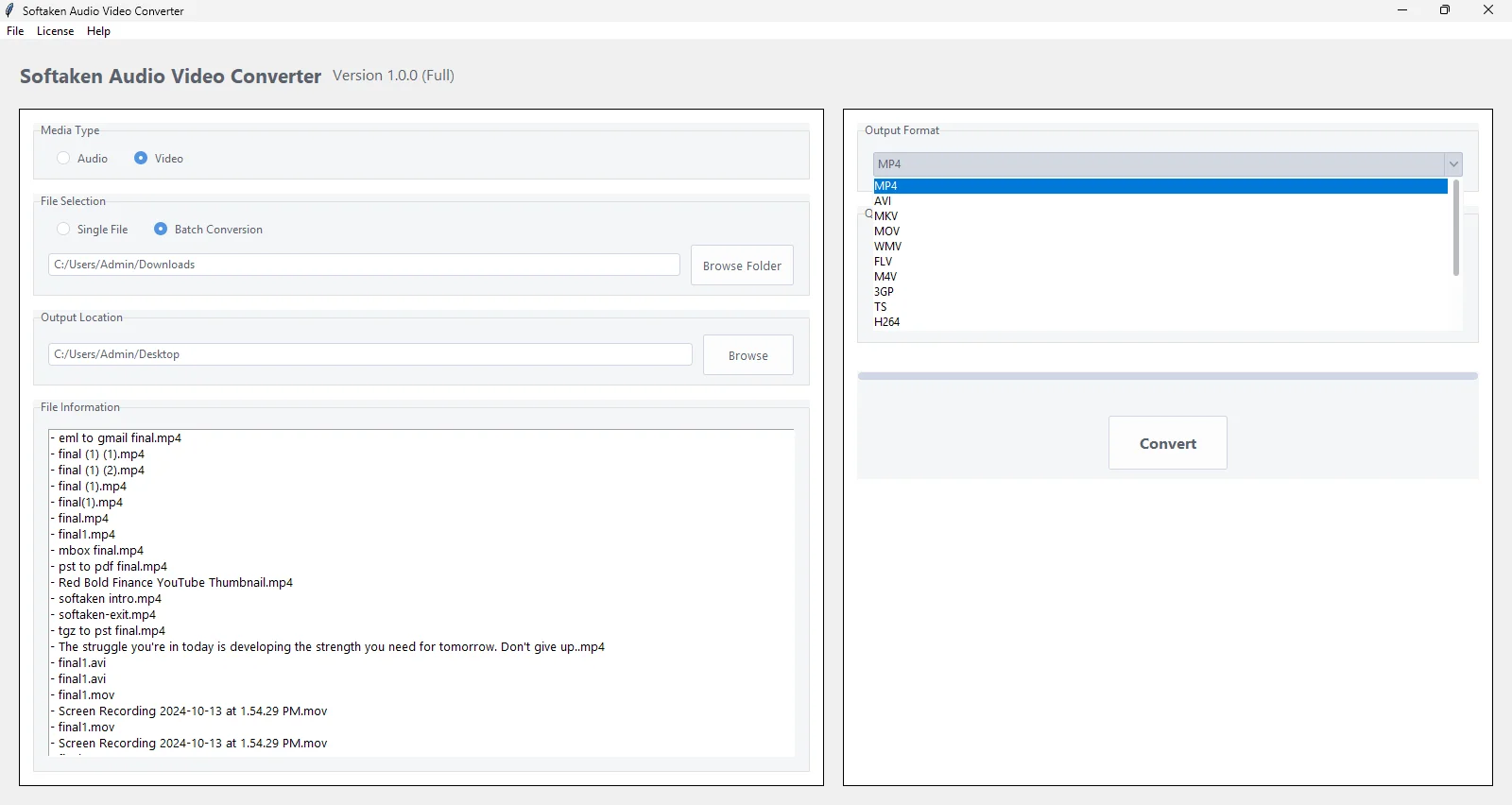
  • Works with several audio formats, including MP3, OGG, AAC, FLAC, AIFF, AC3, MP2 & others
  • Show real-time progress updates during Audio conversion
  • Safe and sound conversion of all major audio formats
  • Various options to set quality – adjust audio bitrate
  • Provide the added file details like format, size, duration, etc.
  • A friendly and guided interface, simple for beginners
  • Automatically save the output audio in the folder of the input file (if it is not writable)
  • Fast and reliable conversion for any audio file
  • No barriers on the size of the audio file for conversion
  • Free Audio File Converter for detailed examination before buying

An outstanding solution to convert Audio files

Easy Steps to convert any Audio file

With Softaken Audio File Converter Software, the conversion of audio files becomes so simple. This smart app supports all major audio formats and features a straightforward 4-5 step conversion process for audio file types. Here’s a look at the steps for converting audio files:

  • Step 1. Install and Open Audio Converter Software.
  • Step 2. Upload the desired Audio file.
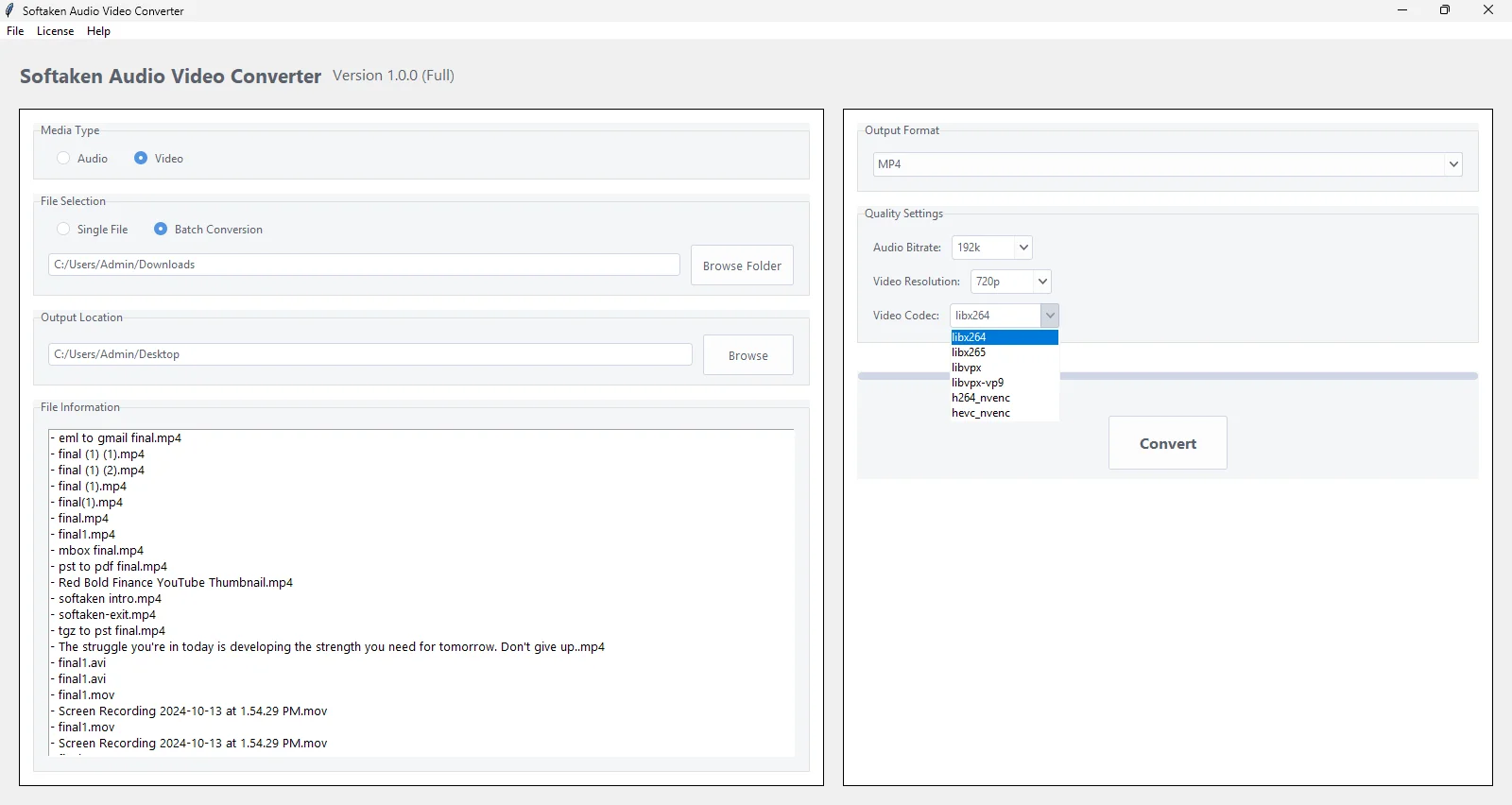
  • Step 3. Pick the output file format & customize the audio bitrate (if required)
  • Step 4. Provide the desired destination to save the output audio file.
  • Step 5. Finally, press the ‘Convert’ option to execute the conversion.
video file converter

When to utilize Audio File Converter Software?

Use Softaken Audio File Converter Software and simply convert multiple audio files in one go.

To reduce file size

Some audio formats, like MP3 or AAC, compress files effectively and make them smaller by reducing their size. This helps users to easily store or share the file without taking up much space. So, in this scenario, users can employ the Audio Conversion Tool to convert the audio file to MP3 or AAC formats.

To easily share online

Many platforms support a specific format, such as AAC or MP3. By converting the audio file to MP3 or AAC formats, they become compatible with podcasts, streamline services, or social media uploads. Thus, to convert audio to AAC or MP3 formats, users can simply utilize this effective program.

Compatibility with Ringtones or Apps

Some applications and phones require specific audio formats like M4R for iPhone ringtones. So, by converting the audio file to M4R format, it can be usable on an iPhone. In doing so, users can take the help of Softaken Audio Converter Software, which safely & immediately executes the conversion task.

To improve quality

High-quality audio formats like WAV or FLAC are preferable for mixing, editing, or professional use. Thus, users find the need to convert their audio file to the WAV or FLAC format. So, by using this automated tool, users can effectively convert any audio file to FLAC or WAV formats.

A marvellous solution to convert major audio formats

This Audio File Conversion utility is a power-packed solution for home as well as business users to convert any audio file to various known audio formats like WAV, MP3, MP2, AC3, FLAC, AAC, WMA, AIFF, and many more.

This effortless program makes the audio format conversion easier for all users with its modern & clean interface. Users can simply browse the audio file & get the required audio output file in just a few clicks with this software. The best part is the accuracy and safety of the input file throughout the conversion process.

audio quality conversion

Batch mode for converting multiple audio files

audio codec

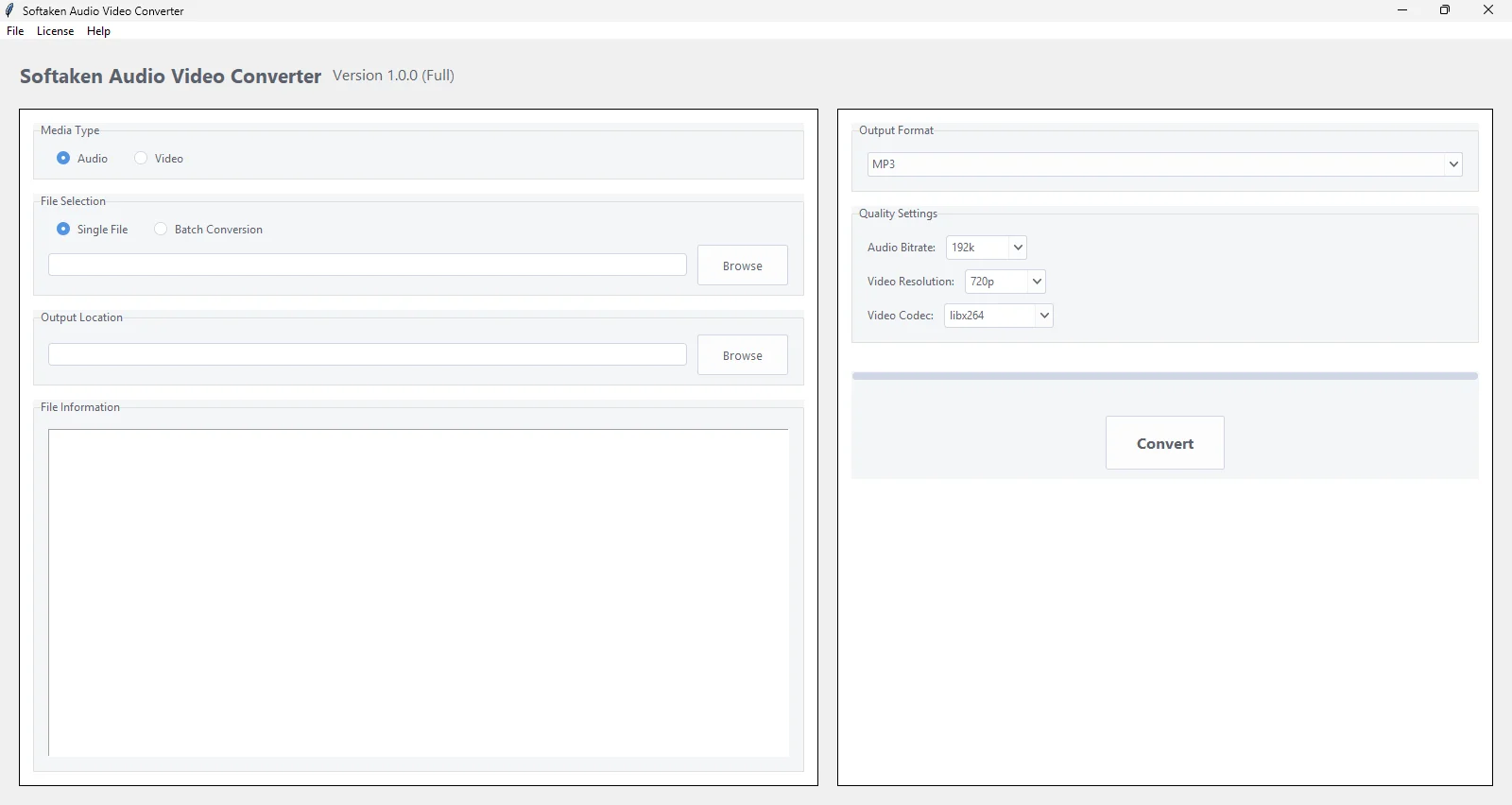
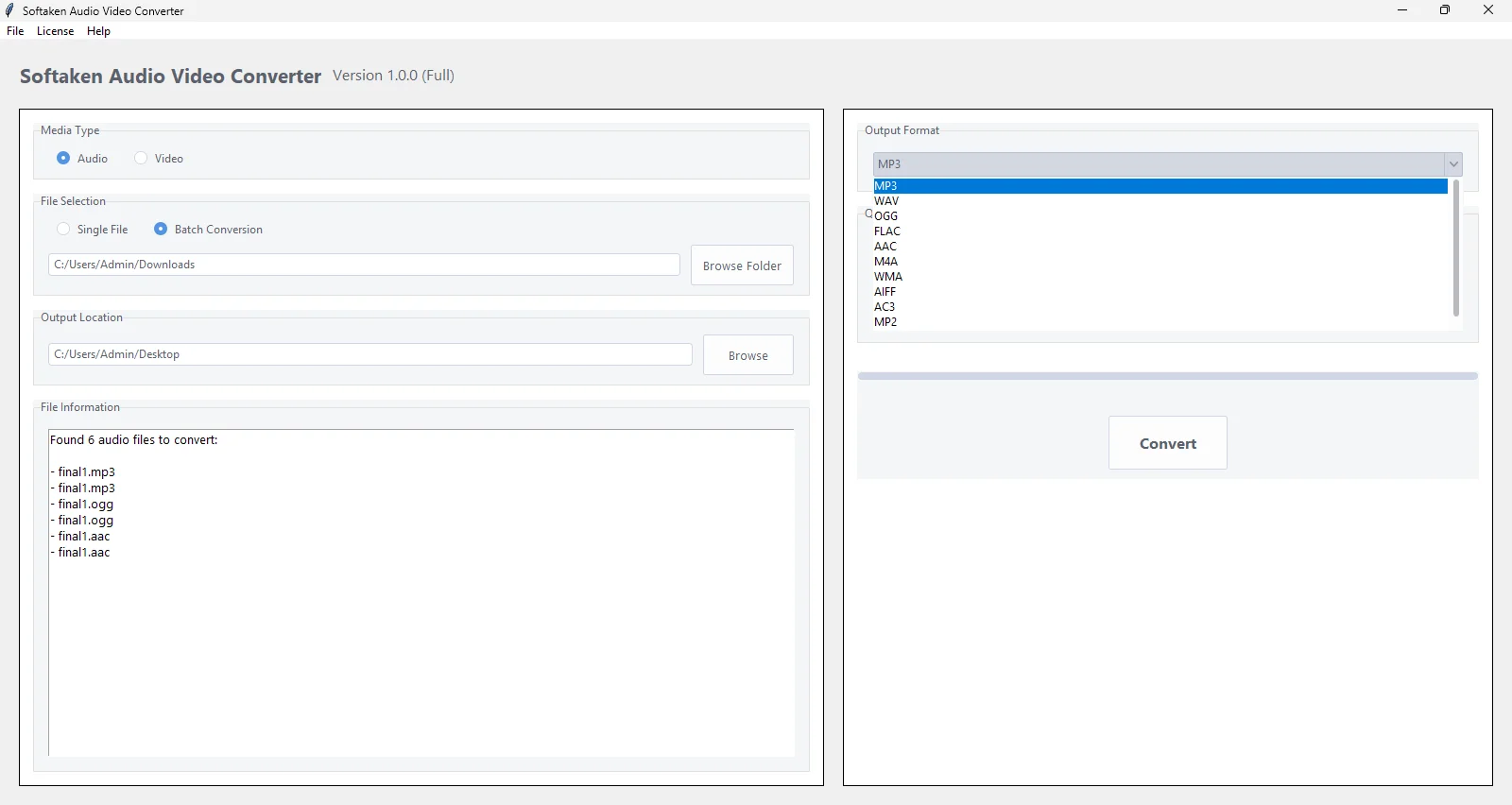
By using this software for audio conversion, you will get two file selection options: Single File or Batch Conversion. By choosing the ‘Batch Conversion’ option, easily add multiple audio files at a time & swiftly convert them to the required audio format.


Single File: For single audio file conversion, which can be of any size

Batch Conversion: For multiple audio file conversion, use the ‘batch conversion’ option.

Valuable Features of Audio File Converter Software


Features

Perform batch conversion of Audio files

Using this software, users can comfortably load multiple audio files in one go for conversion. Within a few clicks, the software can easily convert the added audio files to the required audio file format.

Features

Provide selected file details

This program displays all the details of the added file before conversion. Users can check the detailed information of the input audio file before exporting it to another audio file format.

Features

Modern and clean UI

Having a modern and friendly interface makes this utility comfortable to use even by non-technical users. One can use this software for audio file conversion without getting any special training or skills.

Features

Automatic Output Handling

The software allows automatic saving of the output audio file in the folder where the input audio file is saved. However, if the folder does not permit saving, then the output file will be saved in the Documents Folder.

Features

Show progress bar

You will get real-time progress updates of the conversion using this software. This is a brilliant feature of Softaken Audio File Converter Software, due to which users prefer using it in comparison to other applications.

Features

Support major audio formats

A lot of audio formats are supported by this application, like WAV, MP3, FLAC, AAC, M4A, OGG, AIFF, AC3, MP2, OPUS, etc. The software allows conversion of any audio file to these known audio formats.

Features

Option to set audio quality

This effortless tool offers you the option to set the quality of the output audio file. Users can simply set the desired value in the ‘audio bitrate’ option to set the audio file quality as per their needs.

Features

4-5 simple steps audio conversion

With this excellent program, the audio file conversion task becomes too easy for all. This software has only 4-5 steps, including adding an input audio file, preview, selecting an output audio format, & pressing the ‘Convert’ button.

Features

Free availability for testing

This software offers a demo edition so that users can freely test the performance before getting the licensed version. You will get all features in the free version except the conversion of a complete audio file.

Features

No restrictions on file size

Without applying any restrictions on audio file size, the software completes the conversion task. You can freely upload any heavy audio file to convert using this amazing professional toolkit.

Features

Keep metadata information intact

The software ensures all your audio file details remain safe & intact during & after the conversion. This utility is highly reliable and can convert any audio file with complete accuracy & perfection.

Features

Independent Application

This utility is fully standalone. This means you don’t require setting up any additional program to perform audio file conversion. Simply install and use this software without any trouble to convert various audio files.

Technical Information

Convert audio file to multiple formats with ease

video file converter

Software Download


Size 261 MB
Version 1.0

Free Trial – Download free trial of Audio Converter to evaluate it

4.9
484 Ratings
Trial Limitations
Use the trial version of this software and get a complete idea about the features & working. However, the free version permits the conversion of only the first 30 seconds of the added audio file. For complete audio file conversion, you must buy the license version of this software.

System
Specifications

Hard Disk Space 500 MB of free hard disk space

RAM
Minimum 512 MB is required

Processor
Intel® Pentium 1 GHz processor(x86,x64)

Supported
Editions
Win 11, 10 & All Below Windows Versions

Comparison of Trial & Full Version

Feature comparison between the free and full versions of Audio File Converter

Product Features Free Version Full Version
Add single & multiple audio files
Convert to MP3, WAV, FLAC, AAC, AIFF, AC3, OGG, etc.
Offer Preview Feature
Preserve audio file quality
Convert a complete audio file Only the first 30 seconds
Works with all Windows versions
24*7 Tech Support & secure 100%
Price Free $29

Valuable Customer Reviews

Transforming Your Online Reputation into a Business Asset

Online customer reviews work as a great avenue to grab customer’s attention and boost sales. They are tremendously important for the majority of customers and for securing online visibility of a business. Check, what our customers have to say...

FAQs

HAPPY CUSTOMERS

at
dell
disney
hit
ibm
ieee
oracle
org
pan
samsung
stanford
ups
video
west
You Might Be Interested in These Products Too