video file converter

Video File Converter

An Offline solution to convert videos to widely known formats, including MP4, M4V, MOV, 3GP, etc.

Video File Converter is a brilliant program to convert your videos to multiple known video formats. This amazing tool supports a variety of video formats and comes with a modern UI. This prominent tool can smoothly change multiple video files to another video format at a time. This is a completely unrestricted tool for converting video files. You can freely run this program on the latest & older editions of Windows OS.

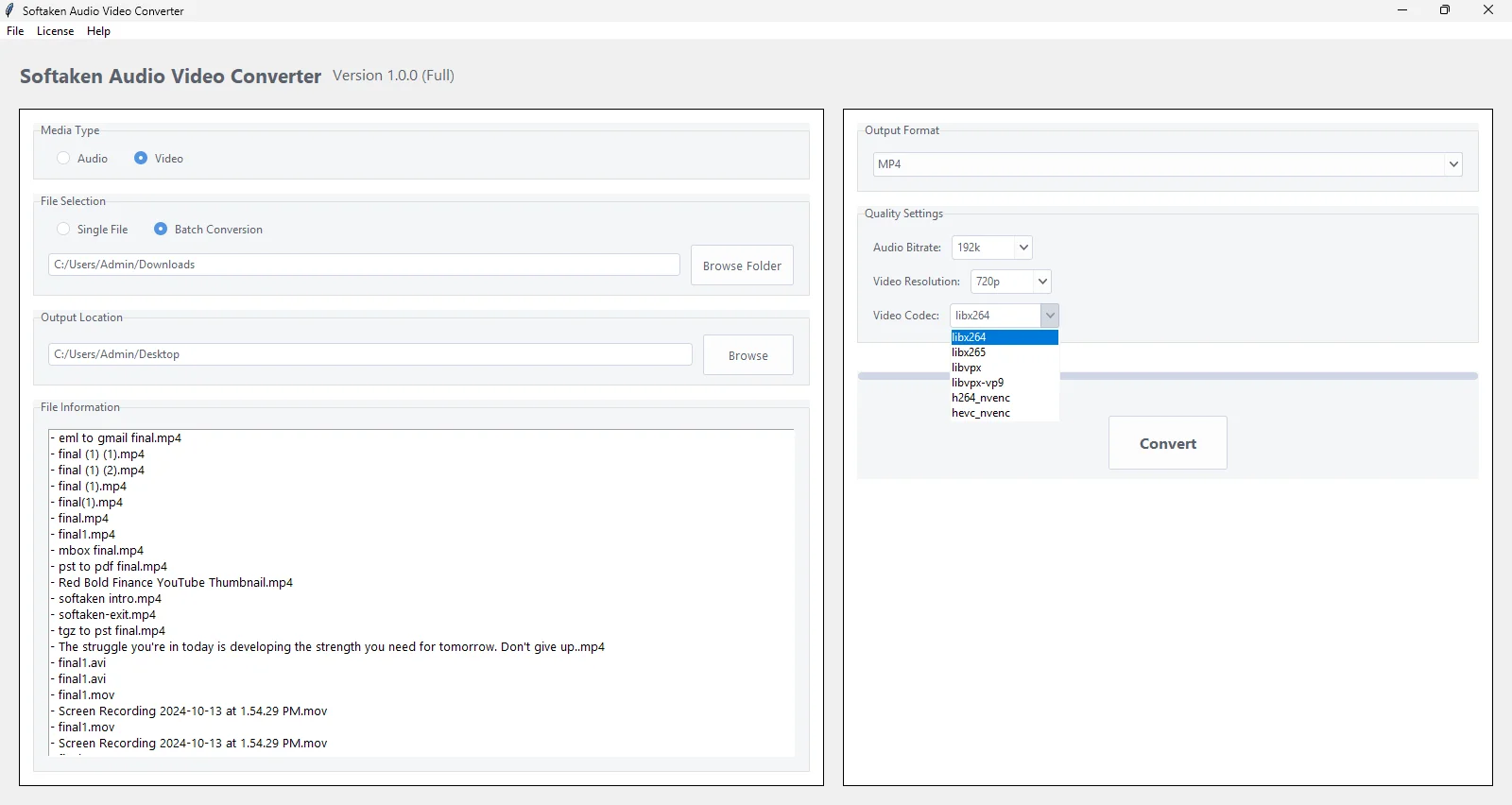
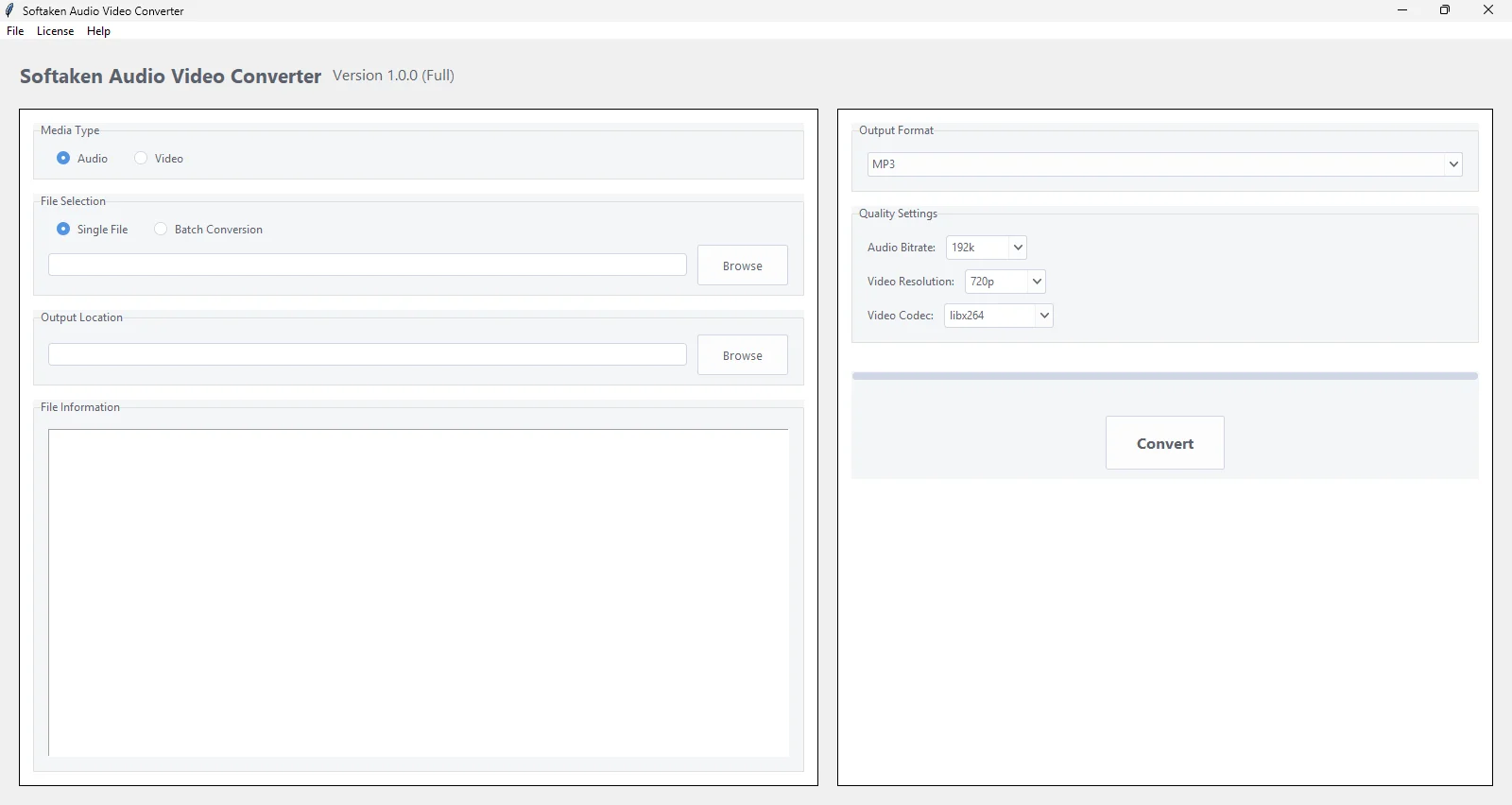
Using this smart video conversion tool, users can check the preview of the loaded video file before conversion, and then check the real-time progress of conversion on the screen. To use this software, internet connectivity is not necessary, as this is an offline tool that you can easily install on your system. Without installing any additional software, this professional tool converts video files into a wide range of known formats, including MP4, 3GP, M4V, MOV, AVI, TS, FLV, and many more. With the free mode of this application, users can examine this utility before buying.
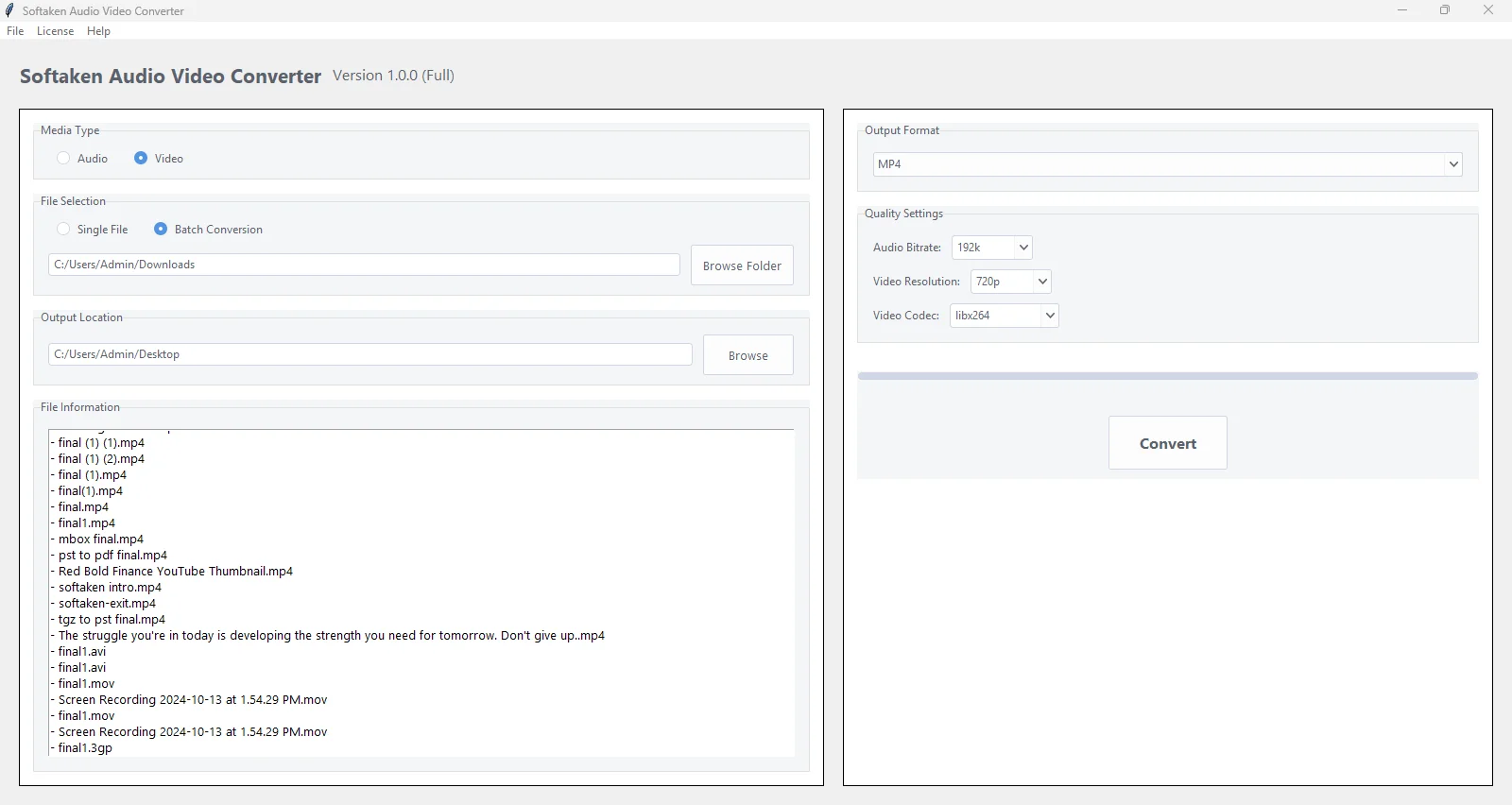
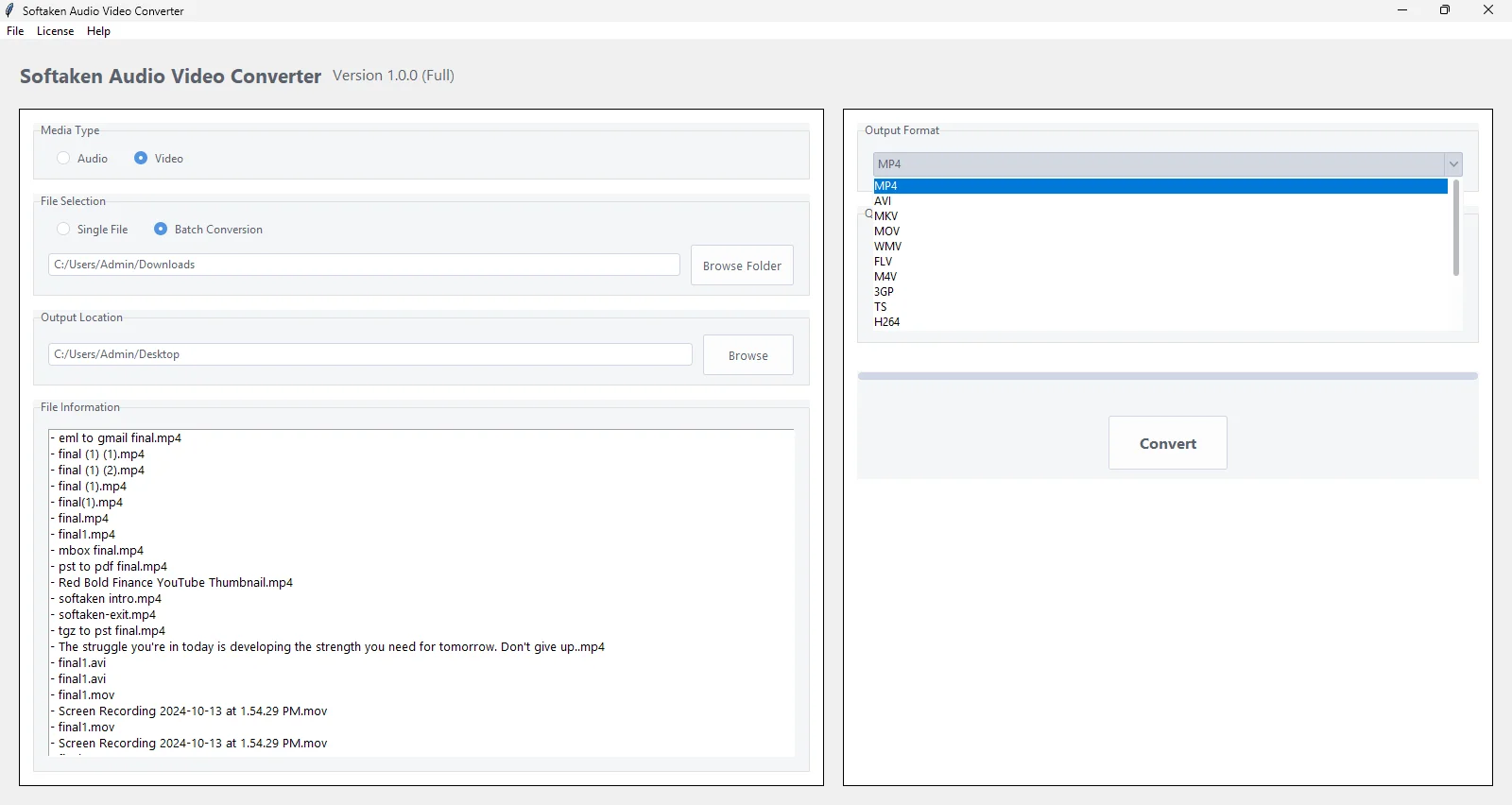
  • Convert video into popular video formats such as MP4, MOV, MKV, etc.
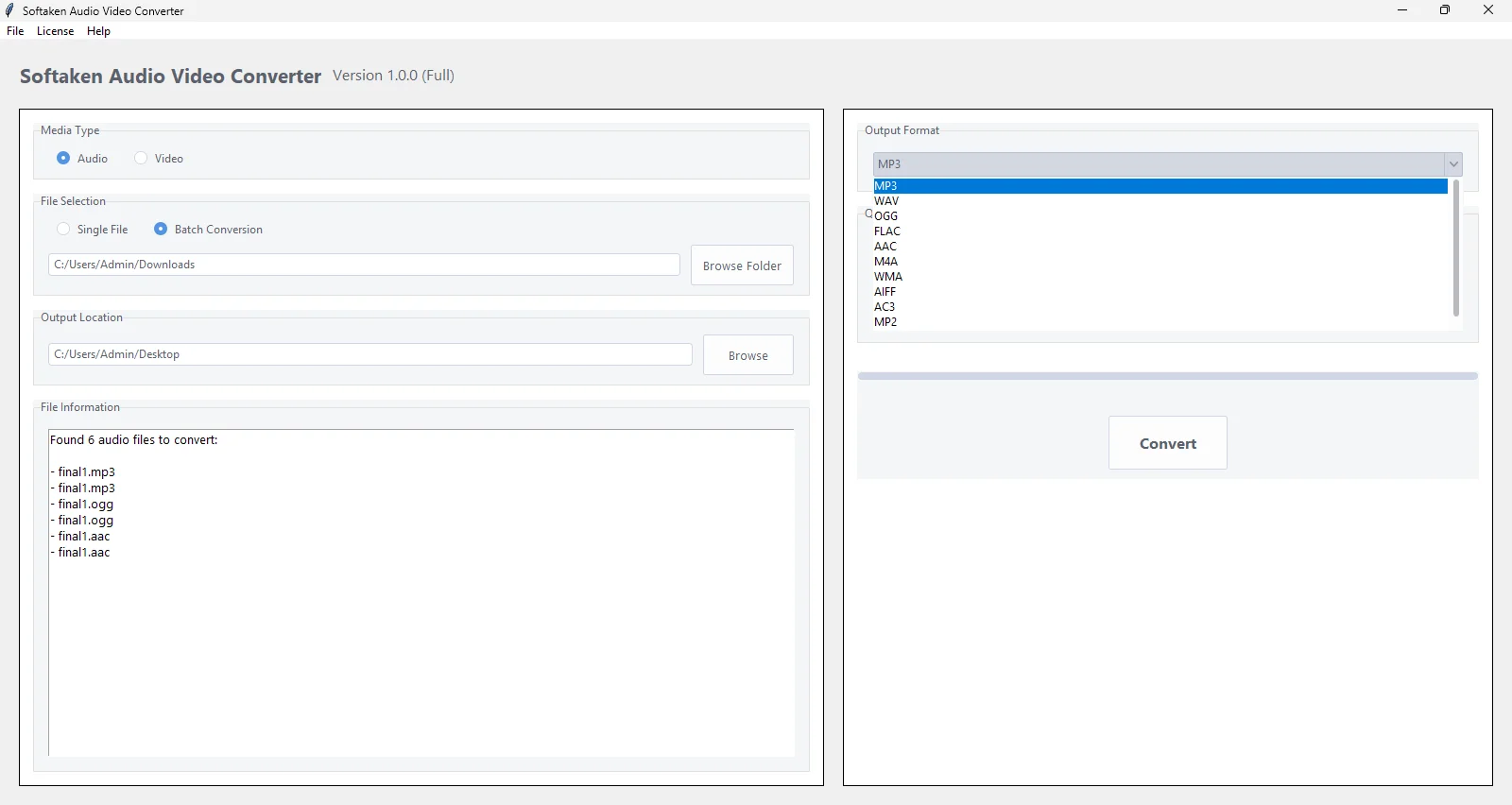
  • Support conversion of multiple video files at a time
  • Export videos to known video codecs like H264
  • Free Video Converter for complete evaluation before purchase
  • Show complete file details like size, format, duration, etc. in the information box
  • Offer option for video resolution, and codecs for better results
  • Instant and reliable conversion of any video format
  • Hassle-free conversion of any large video file format
  • Freely run on the new Windows 11 & lower editions
  • Save the output video file automatically to the input file folder, if it is not writable

A Smart Tool to Convert Any Video File

Simple Steps to convert video files

Softaken Video File Converter Software ensures smooth and safe conversion of any video file to many known formats. This utility comes with a friendly layout and has a few simple steps for video conversion. Let us explore the steps here:

  • Step 1. Install and Launch the Video Converter Software.
  • Step 2. After this, add the video file you want to convert.
  • Step 3. Choose the output file format & set video quality.
  • Step 4. In the end, hit the ‘Convert’ option to get the output file.
video file converter

When to use Video File Converter Software?

Try Softaken Video File Converter Software and simply convert one video to another video format

Device Compatibility

Various devices support different video formats. Hence, to open the video on a specific device, users need to convert video files. For this task, users can go for the Video File Converter, which ensures smooth and secure conversion of multiple video files to popular video formats.

Archiving & Backup

The conversion of videos to widely known formats like MP4 makes it save for years, even if the format becomes outdated. Thus, users wish to convert video files, and to do so, they can use the Video Converter Software, which is very friendly and supports batch video file conversion.

Better Editing Support

Video editing applications support only particular formats. This conversion makes it easier for users to import and edit videos. Thus, for better support for editing, users find the requirement to convert video files.

Reduce file size

Sometimes, to reduce the size of a video file, users want to convert it to a compressed format like MP4 or H. 264. This not only saves space but also makes video sharing faster. With the help of Softaken Video File Converter Software, users can swiftly carry out this conversion.

A Superb Solution to Convert any Video file

With this Video Converter Tool, the conversion of video files to many known video formats becomes easier for all users. Using this effortless tool, users can smoothly convert video files in various formats like MP4, AVI, MKV, MOV, FLV, M4V, 3GP, and more.

This marvellous program efficiently supports any large video file to convert into popular formats. It is completely free from file size limitations and processes the file smoothly without compromising file quality.

video quality conversion

Support multiple video file conversions at once

video codec

Using this Video Conversion Tool, one can quickly browse multiple video files of various types to export them to another video file format. Moreover, this will not affect the speed and accuracy of the conversion task. It remains the same whether you convert one or more video files at a time.


Additionally, this software will maintain the video quality throughout the conversion process. You can even simply set the quality of the output file with the provided feature in this software to get the best outcomes.

Essential features of the Video File Converter Program


Features

Convert Various Video Files

This eminent solution allows users to convert multiple video files of different formats like AVI, MP4, MKV, MOV, FLV, M4V, 3GP, TS, and many more. Without any complications, users can add any video file type to export into these known video formats.

Features

Bulk Video File Conversion

Instead of adding video files one by one, you can use the batch mode conversion of this program. Using this feature, users can freely browse multiple video files of different formats in one round for conversion to the required video format, and can save time.

Features

Preview the added files

This is another marvellous feature of this software, where, after uploading the required video file, all its details are previewed on the software panel. Users can easily check the file information before changing it to a different video format.

Features

Unlimited Video File Conversion

Having the licensed version of this software, users are entitled to convert unlimited video files. This superb solution does not impose any kind of restrictions on converting a large & number of video files. However, there are limitations when you use the free version.

Features

Friendly User Interface

This Video Conversion Tool is programmed to take care of all users. Hence, you will find it with a friendly layout and easy conversion steps. No additional skills and knowledge are required to operate this software for video file conversion.

Features

Sustain File Integrity

Without harm to the quality of video files & other details, the software securely maintains the originality of the source file throughout the conversion process. You can completely trust this app, and for any doubts regarding it, connect to our support staff 24*7.

Features

Secure and Accurate Conversion

There is complete data security and accuracy maintained by this application during the conversion of video files. It is a well-tested and smart app that won’t incur any data loss during the video file conversion process & delivers you exact & timely outcomes.

Features

Available in demo & license versions

You will get two editions with this application. First is the trial edition, which is free and just for evaluation purposes, and comes with a limited conversion facility. The second is the license version, which has no limitations on converting video files, but this is a paid one.

Features

Allow to set video quality

Using this tool, you can easily set the video quality to get better results. The software comes with an option to set the quality for the output file. Apart from this, the software automatically saves the output file in the folder where you have the input file, if the folder is not writable.

Features

Run on Windows 64-bit & 32-bit systems

This application works smoothly on both 64-bit and 32-bit systems of Windows OS. Users can comfortably install it on various editions of Windows, like Windows 11, 10, 8.1, 8, 7, and others. There will be no compatibility issues for users to run this app on any Windows edition.

Features

Show a real-time progress bar

You can check the real-time progress of conversion with the progress bar available on the software panel. This shows the status of the video file conversion. Apart from this, all the error messages are shown on the screen that occurred during the conversion process.

Features

Fully Independent Tool

This marvelous application can independently convert video files with ease. You don’t require the installation of any application on your system to execute the conversion. Only the basic system needs must be fulfilled for using this software, and no other additional apps.

Technical Information

Convert video file to multiple formats with ease

video file converter

Software Download


Size 261 MB
Version 1.0

Free Trial – Download free trial of Video Converter to evaluate it

4.9
484 Ratings
Trial Limitations
With the demo version of this tool, users can practically examine the software features & performance. However, with the trial edition, users can convert only the first 30 seconds of the uploaded video file. To convert the complete video file, activate the license version of this software.

System
Specifications

Hard Disk Space 500 MB of free hard disk space

RAM
Minimum 512 MB is required

Processor
Intel® Pentium 1 GHz processor(x86,x64)

Supported
Editions
Win 11, 10 & All Below Windows Versions

Comparison of Trial & Full Version

Feature comparison between the free and full versions of Video File Converter

Product Features Free Version Full Version
Upload one or more Video files
Convert to MP4, WMV, M4V, MOV, MKV, etc.
Display File Info.
Maintain the source file quality
Convert a complete Video file Only the first 30 seconds
Works with all Windows versions
24*7 Tech Support & secure 100%
Price Free $29

Valuable Customer Reviews

Transforming Your Online Reputation into a Business Asset

Online customer reviews work as a great avenue to grab customer’s attention and boost sales. They are tremendously important for the majority of customers and for securing online visibility of a business. Check, what our customers have to say...

FAQs

HAPPY CUSTOMERS

at
dell
disney
hit
ibm
ieee
oracle
org
pan
samsung
stanford
ups
video
west
You Might Be Interested in These Products Too